Accounts & registers
Track checking, savings, cash, credit cards, loans, investments, retirement accounts, property and other assets or liabilities.
 Finlio
A thoughtful, capable way to manage your household finances — without a subscription, a bank connection, or handing your financial life to the cloud.
Bring everyday spending, savings, credit, investments, property and planning into one organized place.
Track checking, savings, cash, credit cards, loans, investments, retirement accounts, property and other assets or liabilities.
Compare planned and actual spending, track income sources, carry history forward and see where you stand.
Spot possible duplicates, unusual spending, price changes and recurring payments that may deserve a closer look.
Explore income, expenses, net worth, account balances and asset allocation. Customize reports and build your own graphs.
Schedule recurring bills and deposits, review upcoming activity and keep an eye on the month ahead.
Track property alongside your other assets. Request estimates from real-estate websites and keep a history of values.
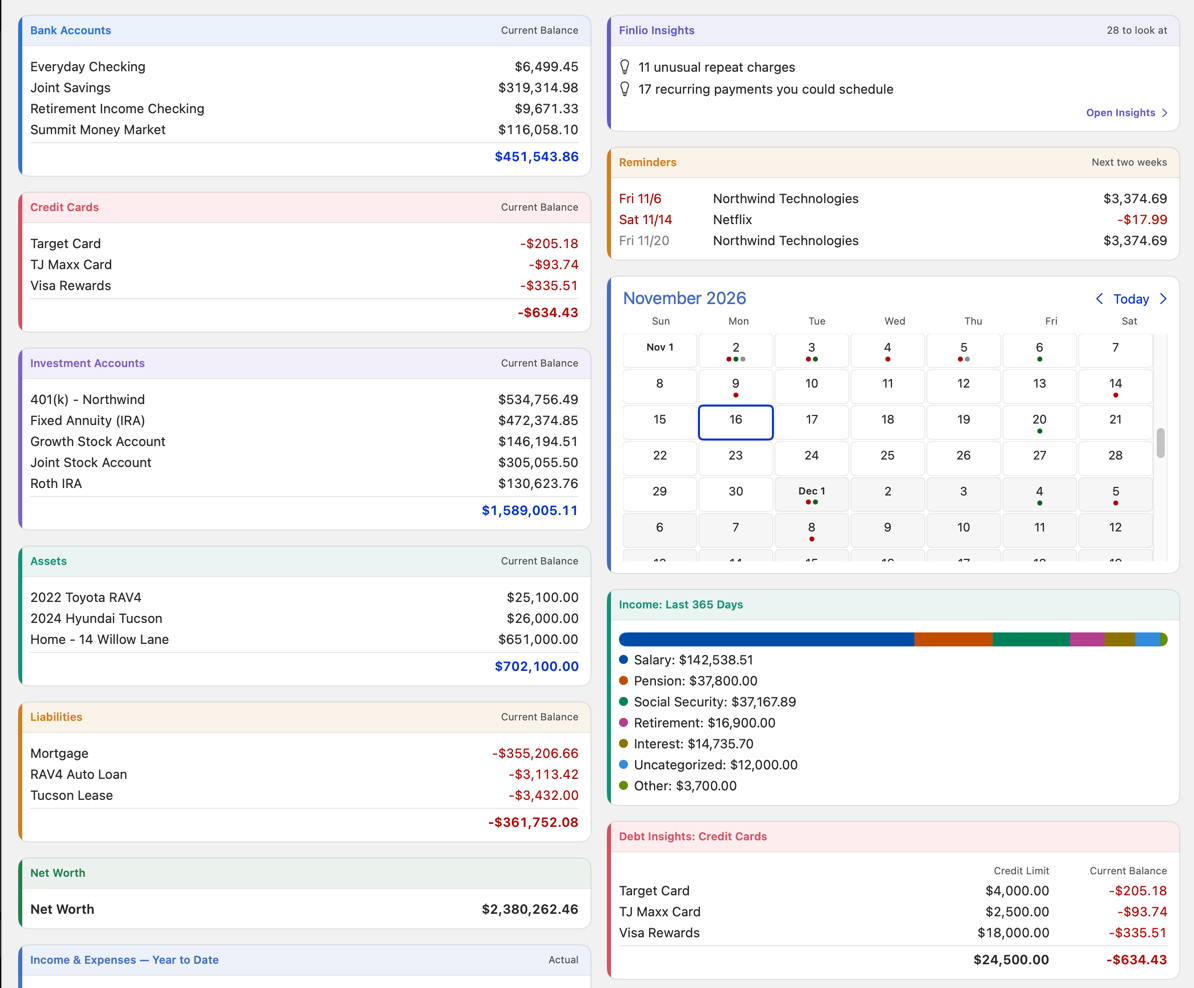
See account balances, credit cards, investments, reminders, income, assets, liabilities and net worth together. Color helps distinguish the parts of your financial picture at a glance.
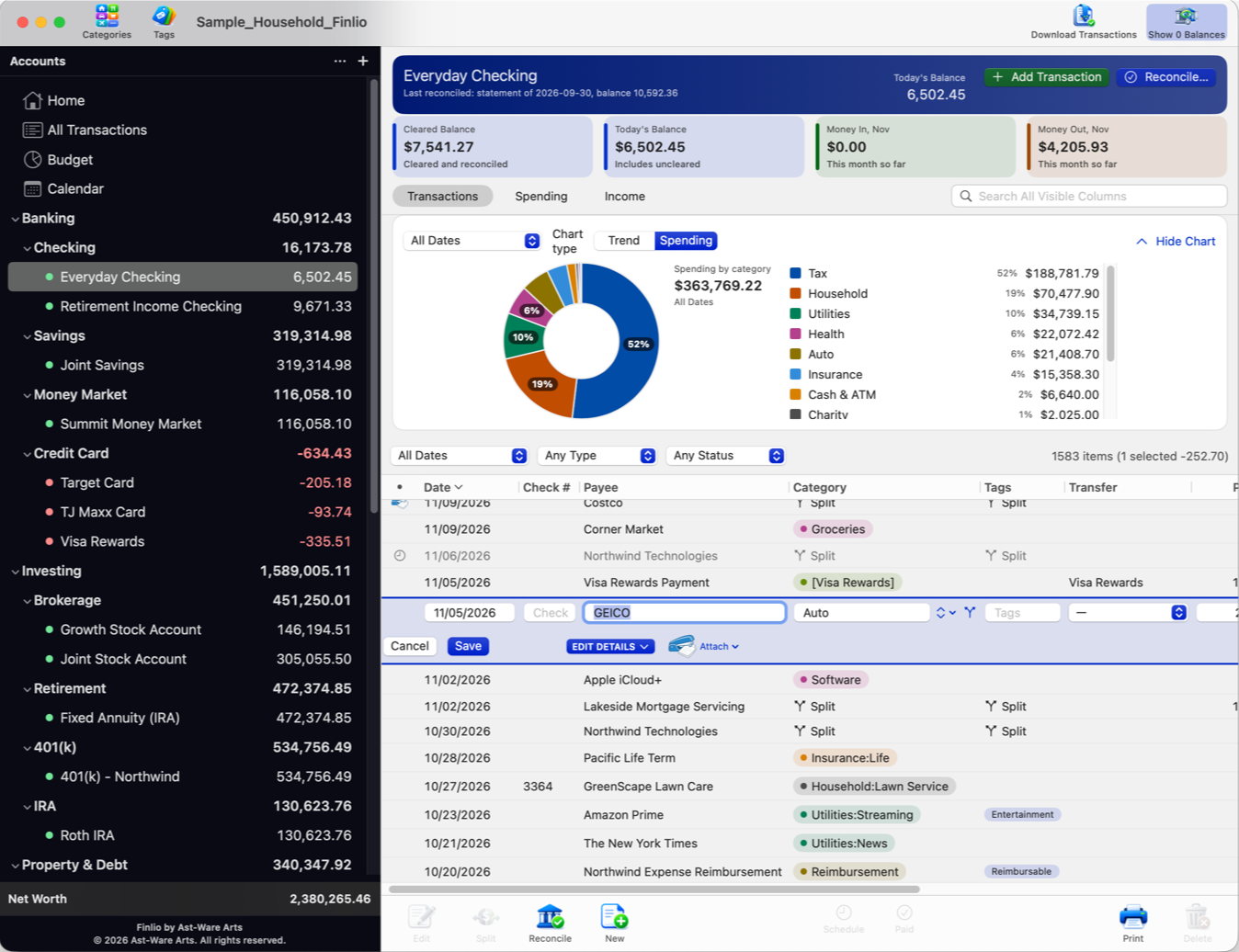
Work directly in familiar account registers. Search and filter activity, split transactions, apply categories and tags, reconcile statements and edit multiple transactions together.
Finlio gives you practical tools to understand where money goes and what may need attention.
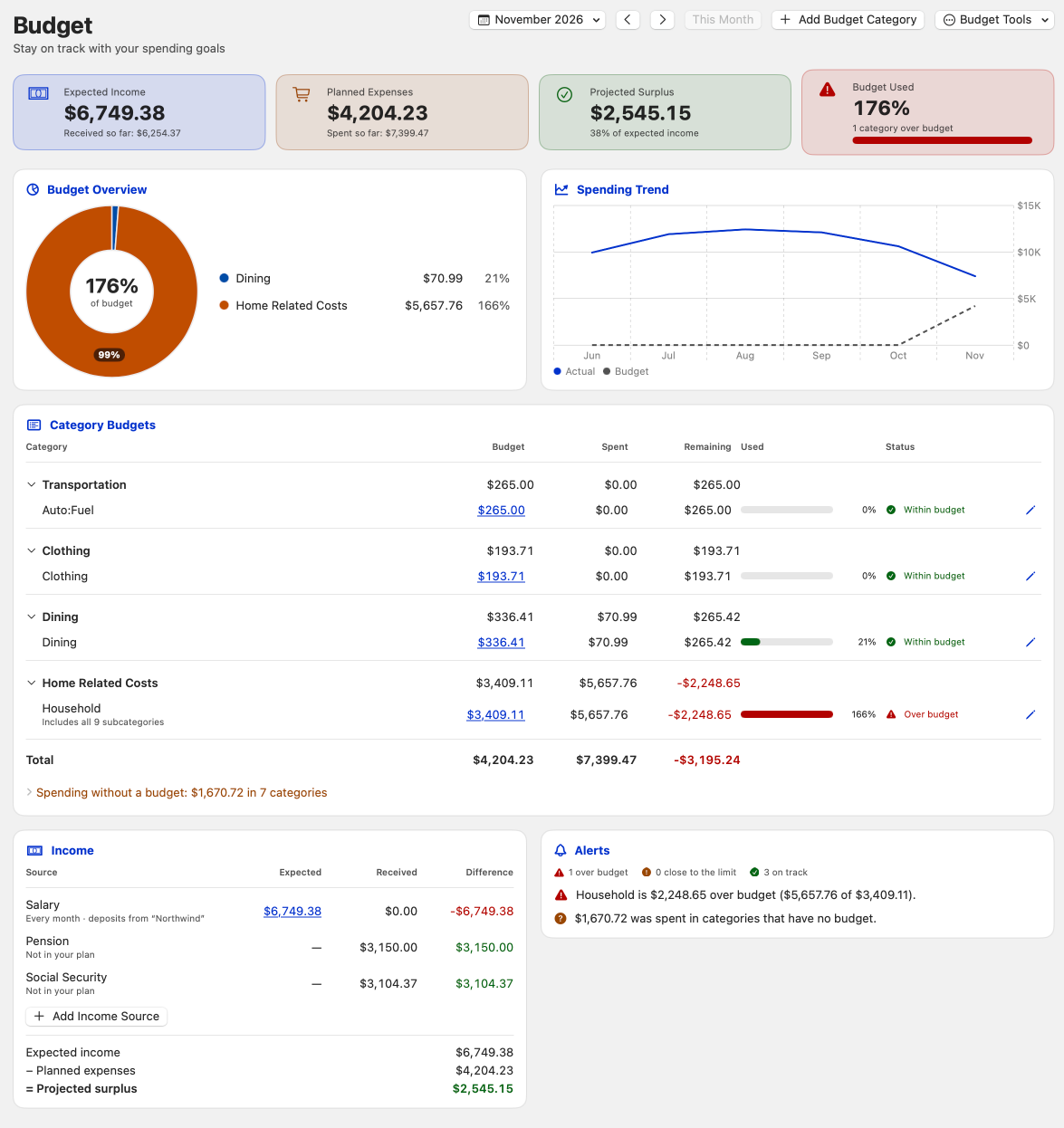
Set monthly, quarterly or annual amounts, organize categories and follow remaining balances.
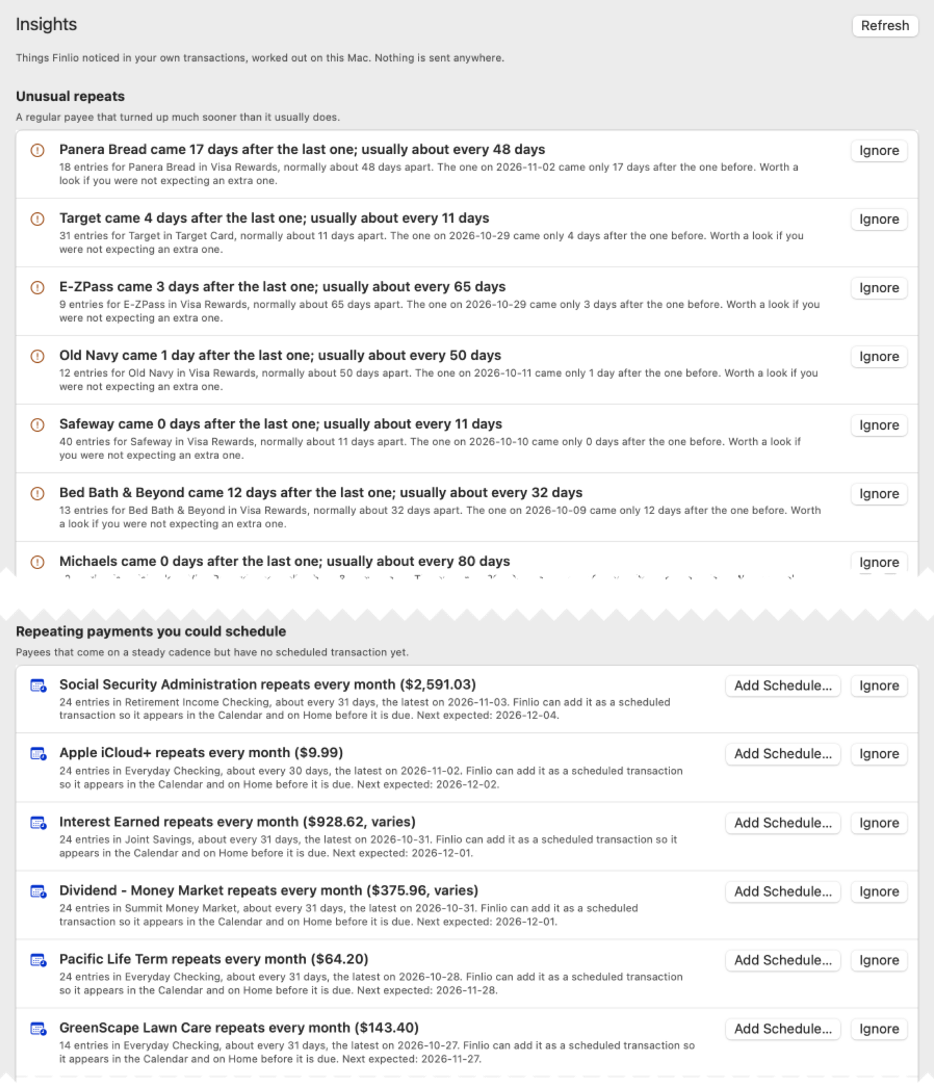
Review potential duplicates, recurring charges and unusual patterns. Finlio suggests; you decide.
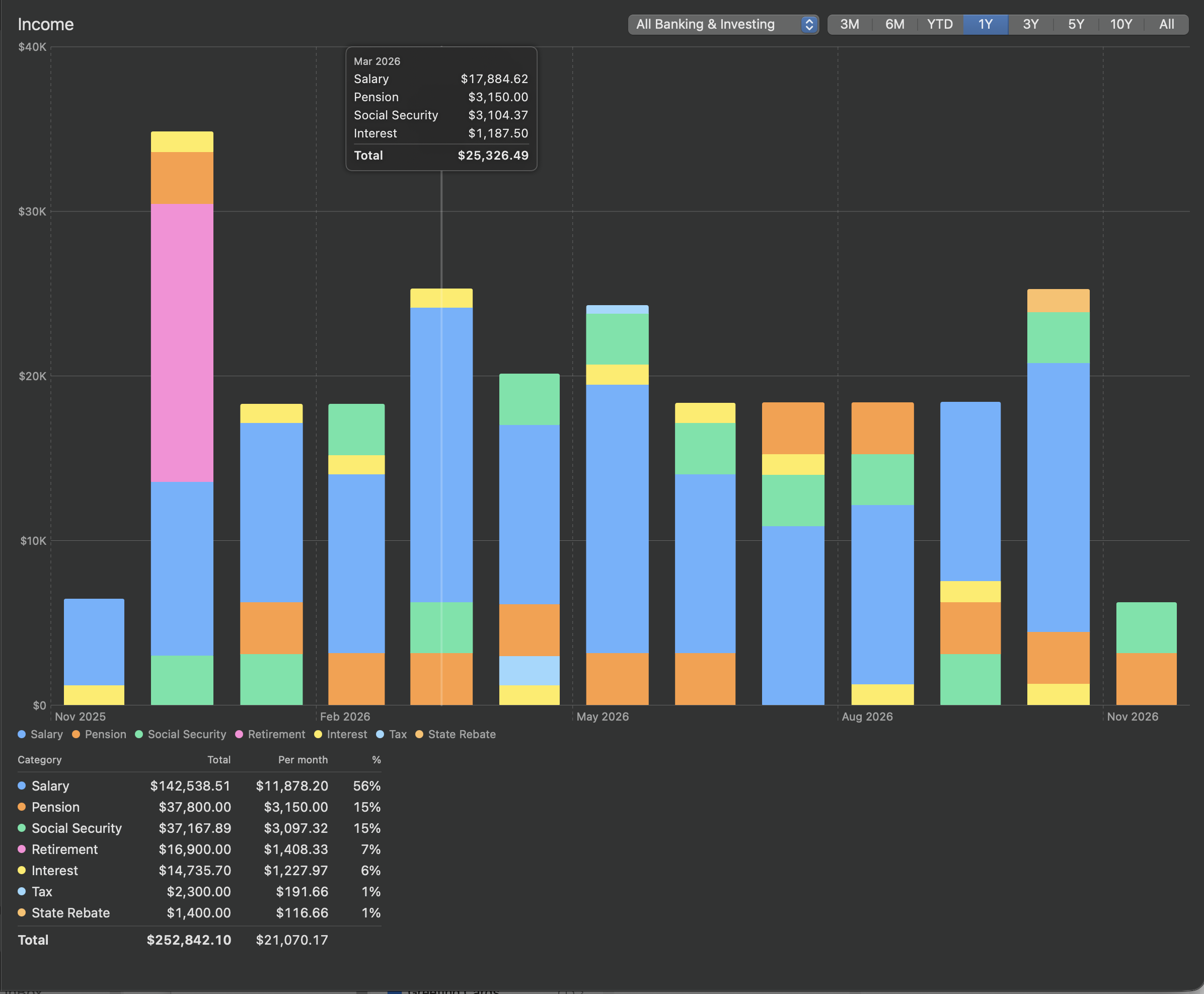
Use built-in graphs or create custom views around dates, accounts, categories, tags and payees.
Finlio can import Quicken data exported in QIF or QMTF text format. An Import Check helps compare account balances after the move.
You can also import transactions downloaded from your financial institution in QFX, OFX or CSV format. Finlio identifies previously imported transactions and possible matches to entries you already made.
Quicken is a trademark of Quicken Inc. Finlio is an independent product of Ast-Ware Arts and is not affiliated with or endorsed by Quicken Inc.
Finlio does not connect to your bank or ask for your bank credentials. You download a transaction file from your institution and import it yourself.
Your financial records are stored in your local Finlio .lio file. You can optionally password-protect your data, create backups and export transactions to QIF or CSV.
When you choose to use property estimates, Finlio opens third-party real-estate websites. Those websites have their own privacy practices. Read the privacy statement.
Real screens from the app, shown with a fictional sample household. Select any image to view it larger.
Browse the Finlio User Guide to learn how to set up accounts, enter and import transactions, build budgets, create reports, reconcile statements and more. Search it by topic, or download the PDF.
Start with the free Community Edition. Upgrade when you're ready.
Explore the full experience before you buy.
Own your personal finance toolkit.
.lio file on your Mac. Upgrading doesn't move, convert or re-import anything..lio file you ownImports: QIF, QMTF, QFX, OFX, CSVWant to hear when the full version is ready? Email info@ast-warearts.com and ask to be told.
The Community Edition is fully functional, with a limit of 350 of your own transactions. The sample household file does not count. The full version will be a one-time purchase. Pricing and availability may change before release.
Finlio is developed by Ast-Ware Arts.